Big Ton Spring Supports Designed for an Oil Refinery in Australia

test service nolan

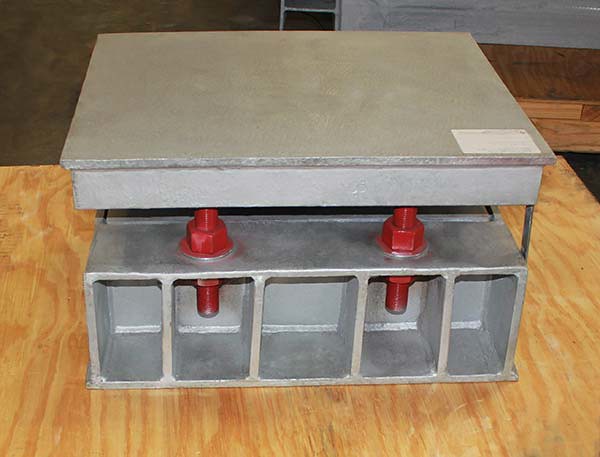
Big Ton Spring Supports Designed for an Oil Refinery in Australia

Type: Big Ton Spring Supports
Material: A36 carbon steel | Hot-dipped Galvanized | SS Slide Plates
Design: 16,276 lb. Ld. | 0.196″ Up Travel

The big ton spring support is used for supporting large heavy units such as compressors, vessels and pumps in power and petrochemical plants. The housing and frame are fabricated from carbon steel and the spring coils are coated in neoprene. Polished stainless steel slide plates are added to the top of the load flange, which reduces the coefficient of friction to allow for lateral movement. This big ton spring support is designed to allow limited movement of 0.196″ upwards, with an operating load of 16,276 lb. This big ton spring enabled the client to reduce engineering man hours by avoiding the redesign of the piping system due to limited space requirement.

How to Install a Sway Brace Technical Video

test service nolan

Function of PT&P’s Bulletproof Protection Shield (Critical Defense Product)

test service nolan

PT&P’s Bulletproof Protection Shield provides safety for defense personnel with head-to-toe protection. It also enables mobility during one onto one incidents.
Learn more about this critical defense product in this video.

PPSM: How to Load Reference Tables

test service nolan

HOW TO LOAD REFERENCE DATABASE TABLES 240-243 INTO PDS

*The following steps will navigate you through the corresponding bitmap forms.

1) PDShell Form
* Select Reference Data Manager Option

Place support 1


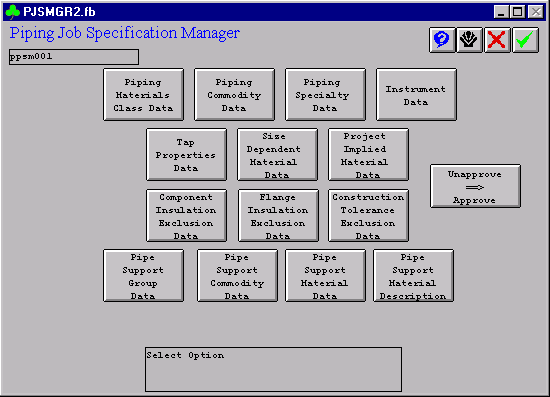
2) Reference Data Manager Form
* Select Piping Job Specification Manager

Load table 2


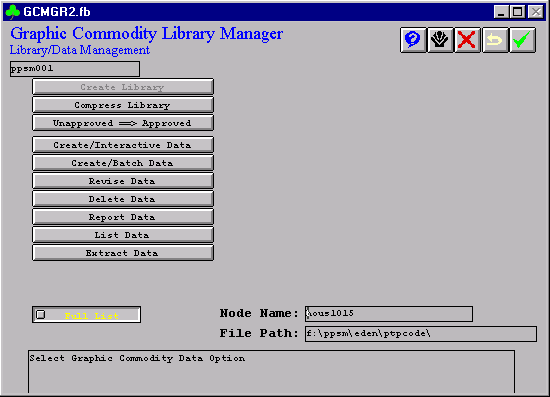
3) Piping Job Specification Manager
* Select Piping Job Specification Manager

Load table 3


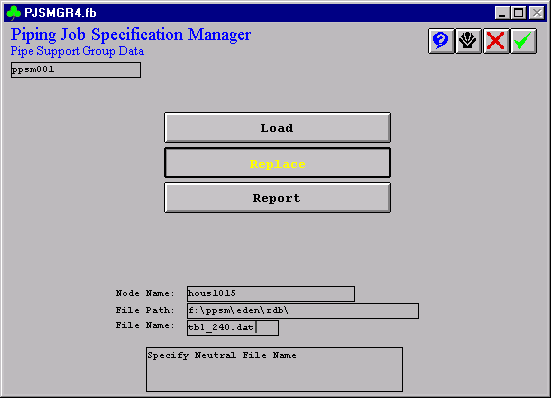
4) Pipe Support Group Data
* Select Pipe Support Group Data for Table 240

Load table 4


5) Pipe Support Group Data for Table 240
* Make sure to Report the existing table 240 first. Then copy and paste any additional items such as the PT&P supports into the file that was reported from the delivered table 240. Once the PT&P items have been added to the delivered Table 240, the new table can be loaded into PDS by choosing the Replace option above.

* Enter file name to replace the existing database Table; node name and file path must match the file’s directory.

Load table 5

PPSM: How to Load Forms

test service nolan

HOW TO LOAD ALL FORMS TO BE USED BY SUPPORT MODULE IN PDS

*The following steps will navigate you through the corresponding bitmap forms.

1) PDShell

Select all forms with the extension .fb and copy to delivered folder.

From Explorer, choose Tools => Find => Files or Folders => *.fb

Copy all the files to the directory where PDS forms are installed. Usually, C:\win32app\ingr\pdshell\forms

From File Manager, choose File => Search => *.fb

Copy all the files to the directory where PDS forms are installed. Usually, C:\win32app\ingr\pdshell\forms

2) Reference Data Manager

3) Support Tutorial Definition Manager

4) Create Data

5) Toggle from Single to List

6) *Enter ptptdf.lis

7) Accept by clicking the check mark


PPSM: How to Place Supports

test service nolan

PLACING PT&P VARIABLE SPRING HANGERS IN PDS (Plant Design System)

*The following steps will navigate you through the corresponding bitmap forms.

1) PDShell Form
* From the PDS main menu, choose Pipe Support Designer
* Alternate route: Choose Piping Designer >> File Options >> Switch to Pipe Supports
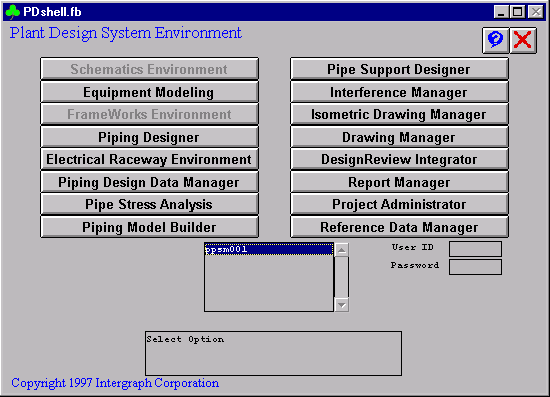
Place support 1


2) Pipe Support Modeling
* PT&P code can be downloaded from the below URL.
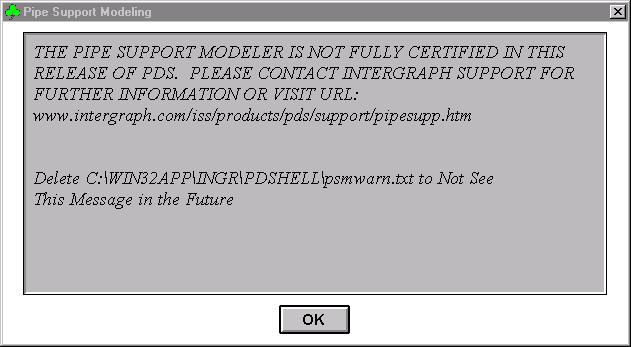
Place support 2


3) PPSM Place Support
* Choose the area in which to place pipe support.
* Choose the model in which to place pipe support.
* Choose Place Support from the Place menu.
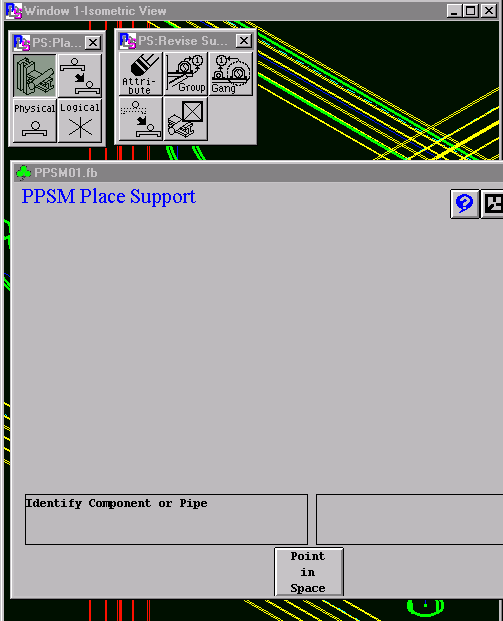
Place support 3


4) Identify Pipeline
* The form for placing asks for a pipeline to be identified. Choose a pipeline and confirm selection.
* Choose a support group. In this example, we will place a variable spring. Choose the Support Detail/Commodity box and enter a support number or tag.
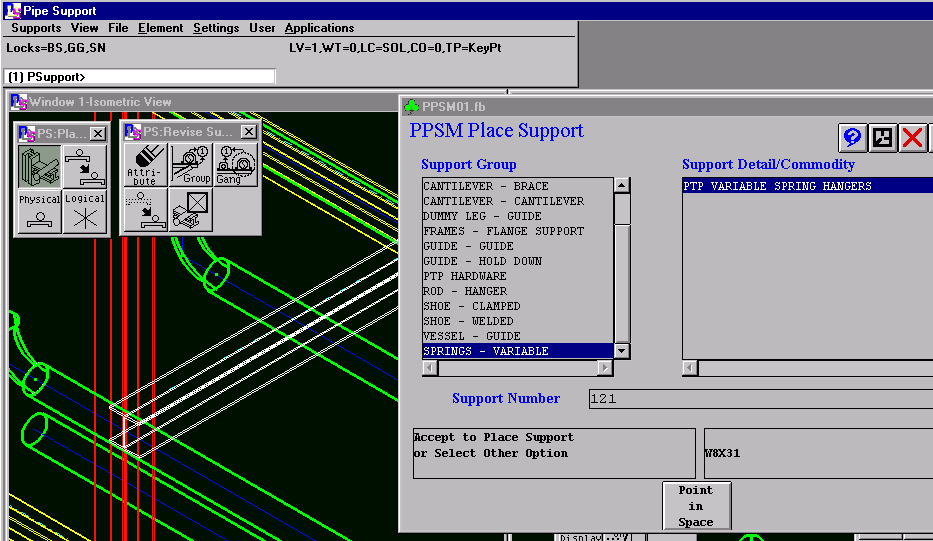
Place support 4


5) Choose Overhead Beam
* Choose an overhead beam to use as supporting steel. Tentative-click and then confirm the steel member.
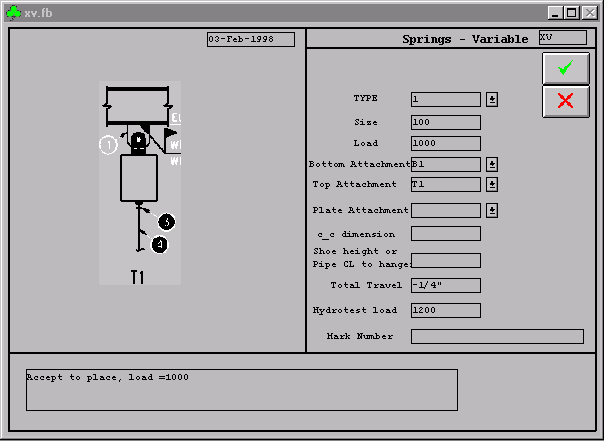
* Fill the form parameters according to the below descriptions. These numbers are only used to demonstrate what inputs go into the form.
Place support 5


6) Using Forms & Their Options

HOW TO USE FORMS AND THEIR OPTIONS
XV FORM

TYPE —————————— Enter 1, 2, 4, 6, or 8 Depending on the PT&P type

SIZE —————————— Enter 0, 10, 20, …, 210, or 220 Depending on the PT&P size

LOAD —————————— Enter load in pounds as an integer ( 1000 ) without PT&P tare weight included

BOTTOM ATTACHMENT ——

B1 is a three bolt clamp

B2 is a lug for an elbow

B3 is a lug along the pipe

B4 is a trapeze assembly or PT&P type G

B5 is a base can supporting the pipe from below

TOP ATTACHMENT ————-

T1 is a PT&P type C hanger spring with a welded beam attachment, Fig. 20

T3 is a PT&P type A hanger spring with a welded lug attachment, Fig. 72

T4 is a PT&P type D that rests on top of a pair of channels with or without a support plate

TOP PLATE ATTACHMENT —

T5 is a 4X9 plate (for 3/8″ to ¾” rod sizes)

T6 is a 12×12 plate (for 7/8″ to 2-1/2″ rod sizes)

C-C DIMENSION —————— The centerline to centerline distance for a trapeze hanger

SHOE HEIGHT OR —————- Shoe height for B4 (trapeze type assembly) or

PIPE CL TO HANGER ———— Distance from pipe centerline to bottom of spring hanger for T3.

TOTAL TRAVEL —————— Total movement expected by the pipeline, upward is positive.


7) Accept The Form
* Accept the form by clicking the green check mark.
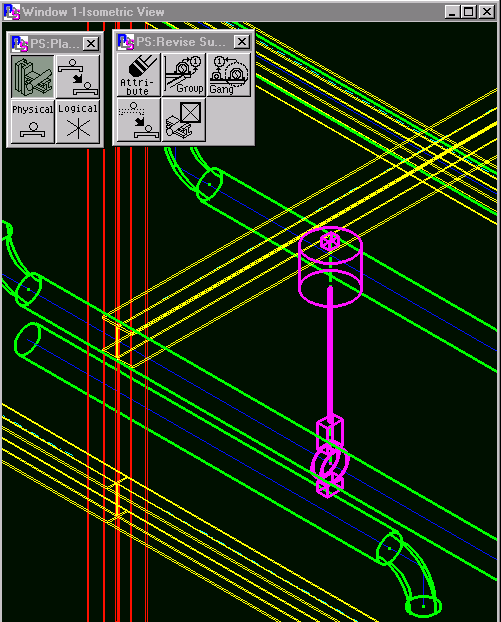
* The following graphics should appear in the model.
Place support 6

Piping Technology & Products Now Has Chat To Support You

test service nolan

Online Course

test service nolan

Piping Design and Analysis Influence on Pipe Support Selection and Design

Surveying a piping system? Need to change a current system?

This course is also great for…

• New Engineers, Management and Operations
• Field, Process, Maintenance and New Engineers
• Piping and Piping System Designers and/or Instructors

*This online course is approved for 8 hrs. P.E. Credits

Live New Webinar

test service nolan

Sign-up for a Live Technical Webinar…

Top